Google Flights vs Kayak for Finding Cheap Airfare
Finding cheap airfare has gotten complicated with all the comparison tools, OTA upsells, and bait-and-switch pricing flying around. As someone who has spent an embarrassing number of hours — we’re talking seventeen open tabs, three browsers, and a cold cup of coffee — searching for the lowest fare, I learned everything there is to know about Google Flights and Kayak. Today, I will share it all with you.
Both tools are free. Both claim to find cheap flights. But they pull from completely different data pipelines, and picking the wrong one for your situation can cost you real money. Not theoretical money. Actual dollars you didn’t need to spend.
What Each Tool Actually Does Differently
But what is Google Flights, exactly? In essence, it’s a direct window into airline inventory through the Google Travel API. But it’s much more than that — it’s a clean, fast interface that pulls live pricing straight from carriers like Delta, United, American, and Ryanair, then sends you to the airline’s own site to complete the booking. Google never touches your credit card. They’re just the middleman who refuses to take a cut.
Kayak works differently. It’s an aggregator — scraping prices from airlines but also from OTAs like Expedia, Priceline, and a few dozen others most people have never heard of. More sources sounds like a good thing. Sometimes it is. But it also means more noise, more fee surprises, and more results that look cheaper than they actually are.
Price Accuracy and Where You Book
Don’t make my mistake. I once clicked a Kayak result showing $189 round-trip from Chicago O’Hare to Denver — ORD to DEN, dead simple domestic route — got genuinely excited, started filling in my details on some OTA I’d never seen before, and watched the price climb to $214 by the final confirmation screen. A “service fee.” A baggage fee that wasn’t optional. A seat selection charge buried in step three. The listed $189 was technically real. Just for a product nobody would actually want.
Google Flights doesn’t work that way. When it shows $189 on United, clicking through drops you on United.com with $189 already in your cart. What you see is what you pay. Budget carriers like Spirit or Frontier still pile on fees — that’s their entire business model — but there’s no OTA markup layer inflating the base number before you even get there.
Kayak has improved. They now flag OTA versus airline-direct results more clearly, and the “Price Forecast” labels are genuinely useful. But for a straight domestic search — JFK to LAX, ORD to DEN — Google Flights is the more trustworthy starting point. If Kayak shows something $30 cheaper, open that link in a separate tab and count every fee before celebrating. Sometimes the savings are real. Often they’re not.
Flexible Dates and Cheap Route Discovery
Probably should have opened with this section, honestly. This is where the gap between these two tools is widest — and where Google Flights earns its reputation.
Three features change how you search entirely:
- The Explore Map — Leave the destination blank, enter your departure city, and a map populates with prices to hundreds of cities. Want somewhere warm in February for under $300? The map shows you exactly where that’s possible, right now, updated in real time.
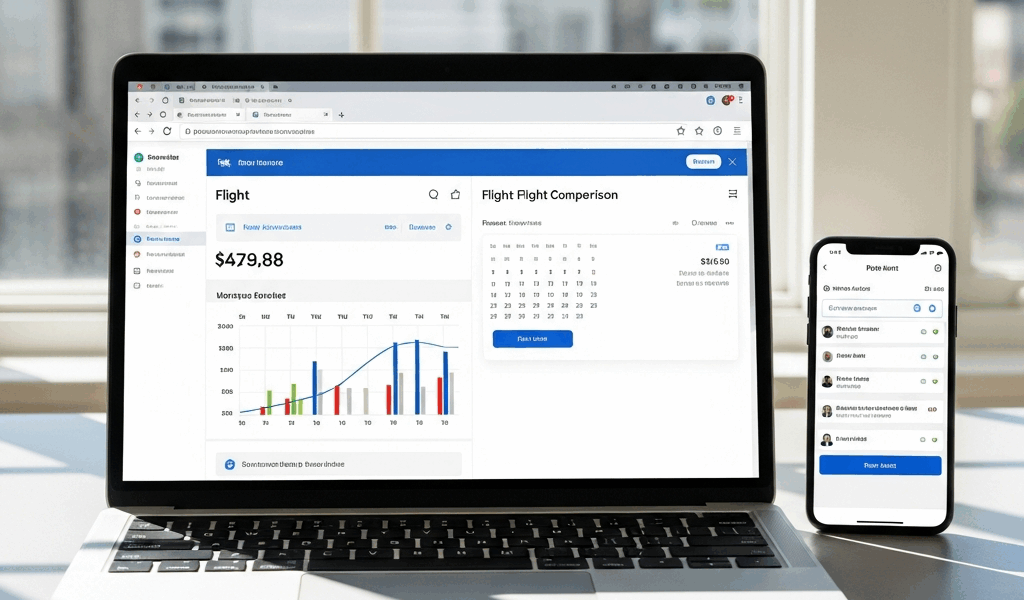
- The Date Grid — Pick a route and this grid shows every departure and return date combination across a full month, color-coded by price. Leaving on a Friday instead of Saturday might save $80. The grid surfaces that in seconds.
- The Price Graph — A bar chart showing how prices shift across 60 days. Spot the cheap window for a specific route at a glance without opening forty tabs.
Kayak has an Explore feature and a calendar view. They exist. They function. The Google Flights date grid is just faster, cleaner, and doesn’t require constant reloading to see updated prices. That said — Kayak’s “Hacker Fares” are worth mentioning. These split your itinerary across two airlines to find cheaper combinations, sometimes cutting $50–$100 off a route. Google Flights won’t do that. That’s what makes Hacker Fares endearing to budget travelers who don’t mind a little extra complexity at check-in.
The date grid alone saved me $85 on a round-trip from Boston to Lisbon — flying out Tuesday instead of Thursday dropped the fare from $340 to $255. That’s a dinner in Alfama paid for by a two-day schedule shift.
Price Alerts — Which One Actually Works
Frustrated by watching Tokyo flights bounce between $680 and $950 over three weeks, I set up alerts on both platforms simultaneously to compare them directly. Same route. Same date range. Different results.
Google Flights alerts connect to your Google account and arrive as Gmail notifications — accurate, timely, and quiet. I’m apparently someone who panics at inbox clutter, and Google Flights works for me while Kayak’s alert volume never quite settles down. You set a route, you set a date range, and Google emails you when the price drops meaningfully. Not when it drops $3. When it actually drops.
Kayak alerts work, but they require more management. The platform sends updates more frequently, sometimes flagging price changes of $4 or $5 that aren’t worth acting on. Set up more than two or three Kayak alerts at once and your inbox becomes a flight price newsletter you never subscribed to. You can tune the sensitivity — the setting is buried in your account preferences — but it takes effort most people won’t bother with.
Simple recommendation: set your price alert on Google Flights. Add a Kayak alert only if you’re monitoring a specific route where Hacker Fares might apply. Otherwise, Google handles this better by default, full stop.
When to Use Kayak Instead of Google Flights
Kayak earns its place. It just earns it in specific situations — not as a first stop, but as a second opinion or a bundling tool.
The clearest win is trip packages. Booking a week in Cancún with flights, hotel, and a Hertz mid-size for seven days? Run that through Kayak. The bundled pricing sometimes beats booking each piece separately by $150 or more. Google Flights only handles flights — so it simply cannot compete here.
Kayak’s Price Forecast feature also has a legitimate use case. It predicts whether current prices are likely to rise or fall and tells you to buy now or wait. It’s not perfect — no algorithm is — but it’s a useful gut-check before you commit to a $600 international ticket.
For multi-stop international itineraries, where OTA prices occasionally beat airline-direct fares, Kayak’s aggregator model is worth a scan. Run Google Flights first to establish a baseline. Then check Kayak to see if any OTA undercuts it. Occasionally one does. Just verify the full cost — every fee, every add-on — before clicking confirm.
So, without further ado, here’s the actual verdict: Start every flight search on Google Flights. Use the date grid if your schedule has any flexibility at all. Set the price alert. Book direct through the airline. Bring Kayak in when you’re bundling a full trip, want a second opinion on an international fare, or need the Hacker Fare split-ticket option. Both tools are free and take about five minutes to learn. Using them together — in that order — is consistently how you find the cheapest option without getting ambushed at checkout.




Stay in the loop
Get the latest jet set travel tips updates delivered to your inbox.