Why Award Space Disappears and Who Controls It
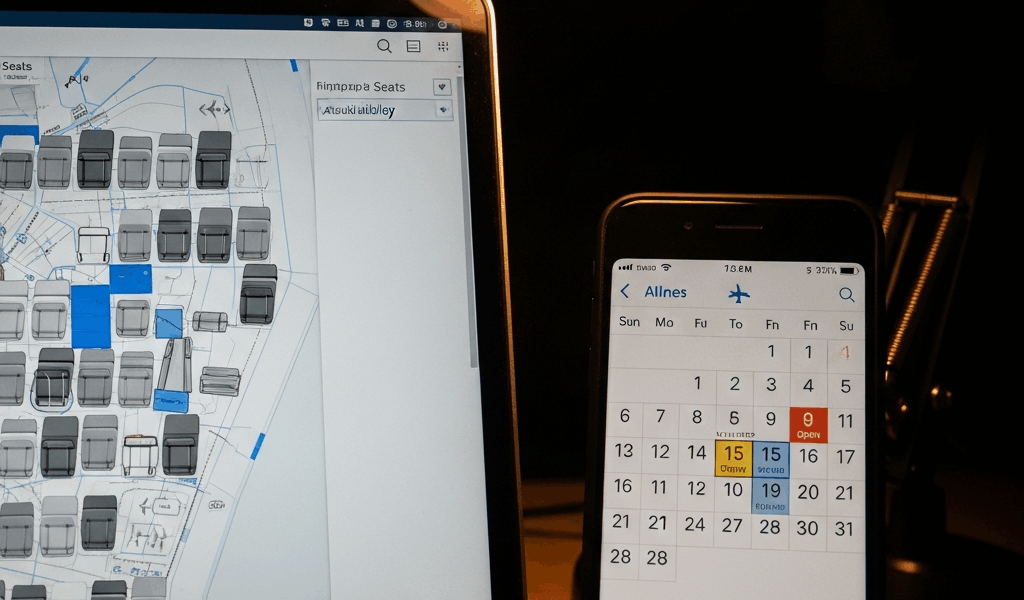
Finding award flights has gotten complicated with all the misinformation flying around. I spent three hours last Tuesday hunting for award seats to Tokyo on my airline’s own website. Nothing. Zero. Every date I wanted — completely blank. Then I pulled up a partner program’s portal and found six business class seats sitting right there on the exact same flights.
Not a glitch. Not a coincidence. Intentional architecture.
Airlines release award inventory in batches — sometimes daily, sometimes weekly — and partner carriers frequently see seats that the issuing airline’s own site refuses to show its members. When you search on airline.com, you’re querying a limited pool explicitly allocated to that loyalty program. Partner airlines tap an entirely separate inventory bucket through their own booking engines. United reserves X seats for MileagePlus members. Air Canada Aeroplan gets its own allocation on those same United flights. Different pools. Different visibility. Same plane.
Probably should have opened with this section, honestly. Most people never find award seats because they keep searching the wrong place entirely. The airline’s own website? Last resort — not the first stop.
Search Partner Airlines First — Not the Issuing Carrier
So, without further ado, let’s dive in. The framework is straightforward: identify the airline you want to fly, then search partner programs with access to that carrier’s award inventory. Seats that vanished on the main site suddenly reappear.
Specific pairings that actually work:
- United flights via Air Canada Aeroplan: I booked a United 787 to Vienna last year through Aeroplan points — the United site showed nothing for my dates. Aeroplan had five premium cabin seats available. Same flight, different booking engine, completely different result.
- American Airlines flights via Turkish Miles & Smiles: Turkish runs a deep partnership with American. Their portal regularly surfaces American award availability that American’s own site buries or blocks outright — especially on transcontinental and international routes.
- Delta flights via Air France Flying Blue: Flying Blue members routinely uncover Delta inventory on European routes that Delta’s SkyMiles portal won’t show until departure gets uncomfortably close.
- Cathay Pacific flights via Alaska Airlines Mileage Plan: Alaska has surprisingly deep reach into Cathay’s long-haul network. Their calendar tool occasionally shows Asia-Pacific routes wide open when Cathay’s own site reads sold out entirely.
But why does this work? In essence, it’s a distribution channel problem. An airline might reserve 40 percent of award seats for its own members, portioning the rest to partners — locked into separate systems your search on the main site never touches. Walled off completely.
That’s what makes partner searching so endearing to us points hobbyists. When you find nothing on the primary airline, check three to five partner programs serving that route. Bookmark their award calendars. Most searches still come up empty — but when one doesn’t, you’ve solved the entire problem with a single booking.
Use the Right Calendar Tools to Find Open Dates
Manual calendar clicking is a trap. You’ll spend 90 minutes clicking through months, find three random available dates scattered across the year, and miss every pattern because your brain melted somewhere around June. Don’t make my mistake.
These tools eliminate that waste:
Point.me (free tier available) scans award availability across multiple airline programs simultaneously. Enter your departure city, destination, and date range — it queries United, Delta, American, Southwest, and JetBlue in one pass. The free version shows basic availability. The paid tier runs $99/month and adds email alerts plus flexible-date heatmaps highlighting the cheapest award windows across an entire month. I use it specifically when my travel dates are flexible and I want the absolute lowest-cost award window. Calendar optimizer first, search tool second.
Seats.aero (free with limited paid options) focuses narrowly on business and first class availability. Free searches are functional but sluggish. The $15 premium tier buys faster queries and saved searches. Real use case: you’re targeting New York to London in business class and want to catch exactly when premium cabin seats open. Seats.aero shows historical availability patterns — you’ll know quickly whether daily, weekly, or monthly checking makes sense.
ExpertFlyer ($9.95/month, subscription required) is the workhorse tool. Persistent searches across airlines, notifications when award seats appear, partner airline filtering, cabin selection, date ranges. The interface looks like it was designed in 2009 — because it basically was — but it’s thorough. This subscription pays for itself the moment it catches an award seat that wasn’t there two hours earlier. I’m apparently someone who runs three standing ExpertFlyer searches at any given time: one for transatlantic business class on American, one for domestic premium economy on United, one for any first class availability to Hawaii on Delta. It works for me while manual searching never does.
The decision rule: fixed travel date means Point.me or Seats.aero to check across multiple programs in one pass. Flexible window — say, anywhere in October — means building a heatmap in Point.me. Planning far ahead and want to catch inventory when it opens? ExpertFlyer alert, running quietly in the background.
Call the Airline and Ask for What the Website Won’t Show
Most people skip this move entirely, assuming phone agents see the exact same inventory as the website. They don’t.
Airline reservation systems sometimes gate award availability differently for automated searches versus agent-assisted bookings. An agent can occasionally unlock inventory, manually verify seat existence, or surface waitlist positions that don’t show online. They have tools you simply don’t have access to.
Framing matters enormously here. Don’t ask “Are there any award seats available?” That’s fishing. Instead, ask for a specific flight by number and cabin. Something like: “I’m looking to book United flight 1 from San Francisco to Tokyo in business class on October 15th. Your website shows nothing available — I’m flexible on dates. Can you check your system for anything on that route between October 10th and 20th?”
You’ve already done the homework. You’re not fishing. You’re asking an agent to verify or override a system limitation — and agents respond better when it’s clear you’ve genuinely tried the DIY route first.
Carrier-specific reality: United, Southwest, and Alaska agents are generally responsive to this kind of request. Delta and American are hit-or-miss. Hawaiian, Frontier, and Spirit agents rarely have authority to do anything beyond reading the website results back to you verbatim. Call United about a routing problem and you have a real shot. Call Spirit with the same request and you’re burning 45 minutes on hold for nothing.
Honest accounting: I’ve made this call three times. Two were productive — actual seats found, booked, done. One was a complete waste of time with an agent who read me the website results word for word. Two out of three makes it worth one call per trip when you’re targeting a specific flight or tight date range.
When to Set an Alert and Wait vs. Book Cash and Move On
You’ve searched partners. You’ve run the calendar tools. You’ve called the airline. Still nothing. Now you decide.
Travel more than 60 days out? Set an ExpertFlyer or Seats.aero alert and wait. Airlines push new award seats into the system constantly as they manage capacity — an alert catches those releases while you’re asleep and not obsessively refreshing tabs.
Within 30 days? Book the paid ticket. Award availability hardens as departure closes in. Seats that might have opened weeks ago won’t appear now. Yield management prioritizes revenue passengers at this stage. Your award search only gets harder from here, not easier.
Between 30 and 60 days out? Gray zone. If you’ve seen award seats on this route before, or a partner program historically shows reliable availability, set the alert. If it’s a premium route during peak season — say, transatlantic in July or Hawaii over Christmas — book cash. Airlines rarely release premium cabin inventory at this point unless cancellations spike unexpectedly.
One more thing worth running: paid ticket prices sometimes come in lower than expected, particularly on off-peak routes. Clear your cookies, search incognito, check a couple of booking engines. A $380 paid flight to a secondary city might genuinely beat the 65,000 miles you’ve been hoarding. Run the math once before committing to the waiting game.
Award flights exist. The airlines just don’t make it obvious where they actually put them.


Stay in the loop
Get the latest jet set travel tips updates delivered to your inbox.